Building and Running
You have met the build commands one at a time. This chapter pulls them together: how to compile a single file, a program made of many files, your forms, and (when your app grows) a shared library of common functions — all with the stock Aubit 4GL tools, no special scripts required.
The three commands, recapped
| Command | Compiles | Produces |
|---|---|---|
4glpc |
One or more .4gl files → program |
.4ae executable |
4glc |
.4gl → object, or a library |
.ao object / .so library |
fcompile |
A .per form |
compiled form (.xml) |
The file types you will see:
| Extension | What it is |
|---|---|
.4gl |
4GL source code |
.per |
Form source |
.ao |
Compiled object (one module) |
.so |
Shared library |
.4ae |
Runnable program |
.xml |
Compiled form |
A single-file program
4glpc -o hello.4ae hello.4gl
./hello.4ae
-o names the output. That is the whole story for a one-file program.
A multi-file program
Real programs span several files — globals, main, and one file per area of logic.
The simplest way is to hand all of them to 4glpc at once:
4glpc -o app.4ae g_app.4gl main.4gl customers.4gl orders.4gl
4glpc compiles each file and links them into one app.4ae. List g_app.4gl
(your globals) first so the variables it defines are known to the files that use
them.
Faster rebuilds: compile, then link
When a project gets large, recompiling every file each time is wasteful. Compile each
file to an object (.ao) once, and only recompile the ones you change; then link the
objects together:
# compile each module to an object file
4glc -o g_app.ao    g_app.4gl
4glc -o main.ao      main.4gl
4glc -o customers.ao customers.4gl
4glc -o orders.ao    orders.4gl

# link the objects into the program
4glpc -o app.4ae g_app.ao main.ao customers.ao orders.ao
Now, after editing orders.4gl, you only re-run its 4glc line and the final link
step. A Makefile automates this nicely once you outgrow typing it by hand.
Compiling forms
Compile each form with fcompile -xml:
fcompile -xml product.per
fcompile -xml people.per
To compile every form in a directory in one go:
for f in *.per; do fcompile -xml "$f"; done
Forms compile independently of your program: change a form, re-run fcompile;
change code, re-run 4glpc. They do not depend on each other at build time.
Sharing code: GLOBALS files
Variables that several files need (often called g_*.4gl by convention) go in a
globals file:
-- g_app.4gl
GLOBALS
    DEFINE g_company   CHAR(40)
    DEFINE g_user      CHAR(20)
END GLOBALS
Any file that needs them includes the file at the top with a GLOBALS directive:
-- customers.4gl
GLOBALS "g_app.4gl"

FUNCTION show_company()
    DISPLAY "Company: ", g_company CLIPPED
END FUNCTION
Include the globals file in your build (as in the multi-file examples above) and the variables are shared across all modules.
A shared library (optional, for larger apps)
When many programs reuse the same helper functions, compile those helpers once into a
shared library instead of linking them into every program. Build a library from
.4gl sources with the --as-dll option:
4glc --as-dll -o libhelpers.so util.4gl format.4gl lookup.4gl
Then link a program against it:
4glpc -o app.4ae main.4gl -L. -lhelpers
-L. tells the linker to look in the current directory, and -lhelpers links
libhelpers.so (the linker adds the lib prefix and .so suffix). At run time,
make sure the library is findable:
export LD_LIBRARY_PATH=.:$LD_LIBRARY_PATH
Libraries are an optimisation for big projects. For your first applications, just hand all the
.4glfiles to4glpc— it is simpler and fast enough.
A sensible project layout
A small project might look like this:
myapp/
├── env.sh            # the environment from chapter 1
├── g_app.4gl         # global variables
├── main.4gl          # MAIN + the top-level menu
├── customers.4gl     # logic, one file per area
├── orders.4gl
├── customer.per      # forms, one per screen
├── orders.per
└── build.sh          # the commands below
build.sh could be as simple as:
#!/bin/bash
set -e
source ./env.sh
for f in *.per; do fcompile -xml "$f"; done
4glpc -o myapp.4ae g_app.4gl main.4gl customers.4gl orders.4gl
echo "Built myapp.4ae"
Running
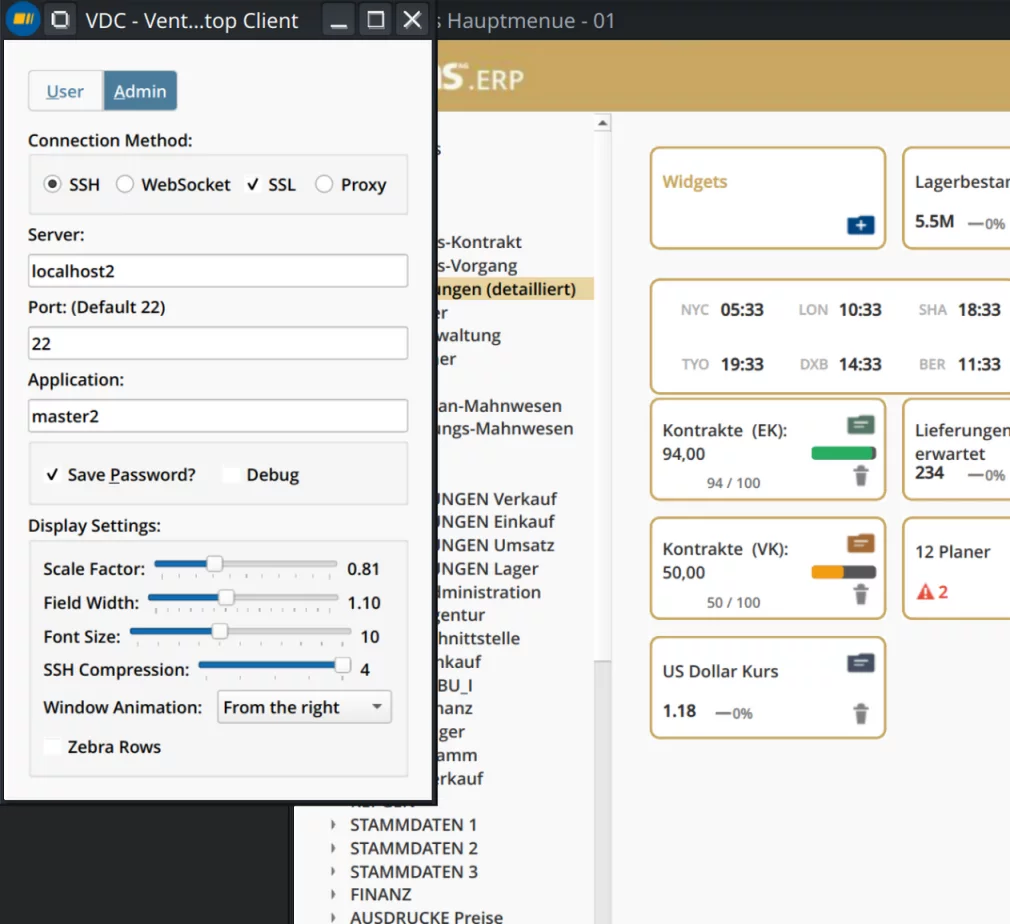
With the VDC client started and listening (see chapter 1),
run the program directly — a .4ae is an ordinary executable:
./myapp.4ae
If your program expects arguments (for example a company or database name), pass them after the program name:
./myapp.4ae acme sales_db
Troubleshooting
| Symptom | Likely cause and fix |
|---|---|
undefined reference to 'function_x' |
A file that defines function_x was left out of the link — add it to the 4glpc line. |
| The program runs but no window appears | The client is not listening, or A4GL_UI/AFGLSERVER/AFGLPORT are wrong. Recheck chapter 1. |
form 'product' not found at run time |
The compiled form is not on the search path — run it from the form's directory, or add the directory to DBPATH. |
| A form change does not show up | You edited the .per but did not re-run fcompile -xml. |
| A code change does not take effect | You edited the .4gl but did not re-run 4glpc, or you ran an old .4ae. |
| Dates or numbers look wrong | Check DBDATE (dates) and your locale variables. |
Read the compiler output. When a compile fails, the error text names the file and line. Fix compile errors (syntax, unknown variables) first; only then do link-time errors (undefined references) make sense to chase.
That is the full loop, from a blank file to a running application. For a condensed cheat-sheet of types, operators, functions and environment variables, see the Quick Reference.